
Inventory replenishment problems often show up in the same places.
An important item runs out; a buyer rushes to another purchase order, or inventory value rises while the warehouse still struggles to keep the right products available.
Teams may blame forecasting, purchasing, inventory settings, supplier performance, or the ERP.
Any of those can be part of the problem.
So, before increasing safety, stocks or looking for new software, it helps to follow the replenishment process back to the first weak point.
In this guide, we’ll look at how to separate forecasting, inventory setup, purchasing, supplier, and ERP issues. We’ll also use a practical workflow for tracing a real inventory problem before deciding what needs to change.
Start with the symptom and work backward
A stockout or excess inventory position tells you an earlier step went wrong. It rarely tells you were.
Use the symptom as a starting point, then check the information and decisions which came before it.
| What you are seeing | Where to look first | What to review |
| Fast-moving items keep stocking out | Forecasting and inventory setup | Demand history, seasonality, safety stock, reorder points |
| Buyers keep placing emergency orders | Purchasing and planning | Recommendation timing, workload, supplier performance |
| ERP recommendations are often overridden | ERP setup and data | Lead times, order quantities, item settings, planning rules |
| Inventory grows while availability stays weak | Inventory policy | Slow movers, safety stock, SKU classes, buying quantities |
| Supplier deliveries arrive later than planned | Purchasing and master data | Actual lead times, vendor records, receiving history |
| One warehouse is overstocked while another is short | ERP and transfer planning | Location inventory, transfer rules, planning visibility |
How replenishment moves through the business
Replenishment is a chain of connected decisions. Each step uses information produced earlier, so an error can move through the process until purchasing; the warehouse, or the customer, feels the effect.
| Step | What happens |
| 1 | Customer demand creates the need. |
| 2 | Forecasts or historical usage estimate future demand. |
| 3 | Inventory settings apply safety stock, reorder points, lead times, and order rules. |
| 4 | The ERP creates a replenishment recommendation. |
| 5 | The buyer reviews the recommendation and releases the purchase order. |
| 6 | The supplier fulfills the order and the warehouse receives inventory. |
| 7 | Inventory records update and feed the next planning cycle. |
If demand is understated, the ERP starts with a weak signal.
If a reorder point is too low, the recommendation may arrive late even with a reasonable forecast. If the recommendation makes sense, but the PO sits for several days, the issue moves into purchasing.
A supplier at lead time can create the same problem when the value in the ERP no longer matches current delivery performance.
When forecasting needs a closer look
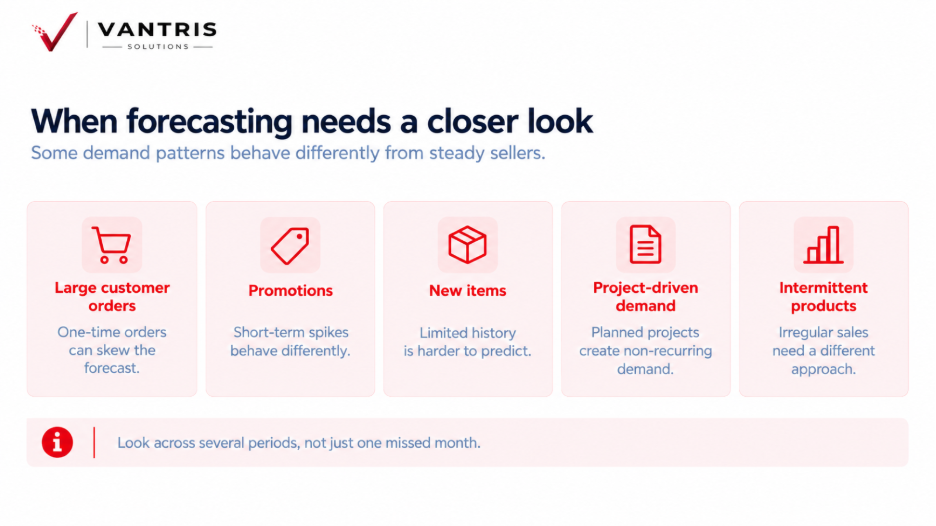
Forecasting deserves more attention when the same demand misses repeating across certain products, customers, or seasons.
Large customer orders, promotions, new items, project-driven demand, and intermittent products can all behave differently from steady sellers.
You can look across several periods rather than judging the forecast from one missed month.
When inventory settings are creating the problem
Reorder points, safety stock, minimum quantities, order multiples, maximum levels, and supplier lead times can sit unchanged for years. Meanwhile,customersrs demand changes, suppliers adjust schedules, and products move through different stages of their lifecycle.
A distributor can have good demand data and still receive weak recommendations when item settings no longer match current operations.
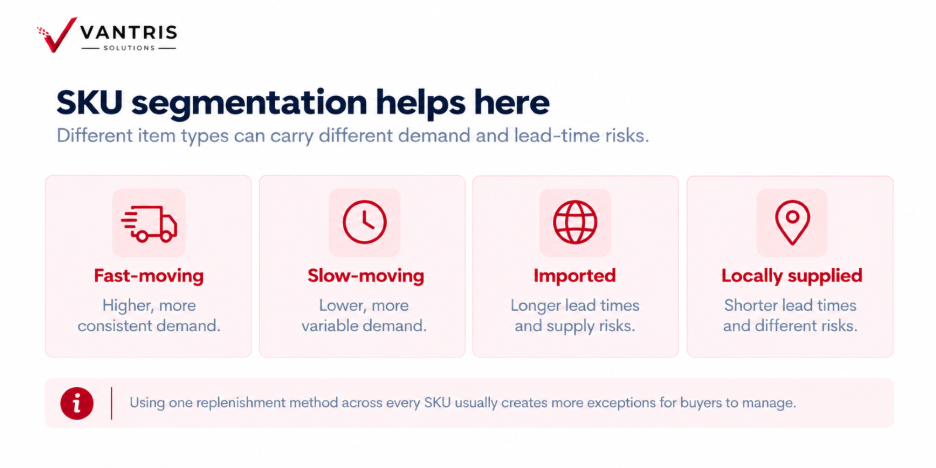
SKU segmentation helps here.
Fast-moving, slow-moving, imported, and locally supplied items can carry different demand and lead-time risks. Using one replenishment method across every SKU usually creates more exceptions for buyers to manage.
When purchasing is where the process breaks
Purchasing becomes the main area to review when the system identifies the need at a reasonable time, but the order reaches the supplier late or in a different quantity. Compare the first ERP recommendation with the PO release date. Delays may come from supplier minimums, freight, approvals, cash, workload, or buying rules which live outside the system.
When ERP and data flow become part of the problem
ERP issues become easier to spot once planning work moves outside the system. Frequent inventory exports, separate supplier files, duplicate reports, and manual calculations can show where users need information the main system is failing to provide clearly.
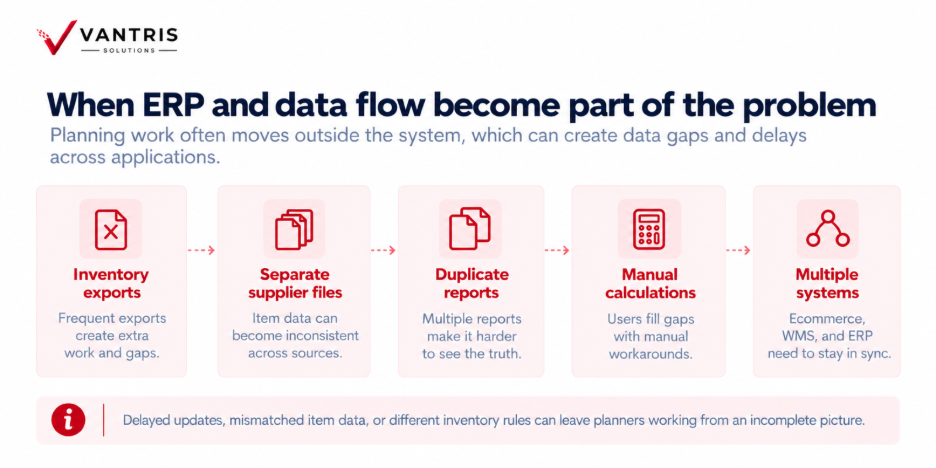
Replenishment relies on those handoffs. Ecommerce may create demand, a warehouse system may manage physical inventory, and the ERP may control purchasing.
Delayed updates, mismatched item data, or different inventory rules across applications can leave planners working from an incomplete picture.
Forecasting, inventory settings, purchasing, and ERP compared
| Area | Strongest clue | First checks | Typical improvement |
| Forecasting | Demand misses repeat across similar products or periods | Demand history, seasonality, large orders, forecast method | Better inputs, segmentation, or forecasting method |
| Inventory settings | Recommendations look wrong even when demand is reasonable | Safety stock, reorder points, lead times, order multiples | Updated policies and item parameters |
| Purchasing | Good recommendations become late or different POs | Release delays, approvals, vendor minimums, overrides | Workflow, buying rules, or workload changes |
| ERP and integrations | Planning depends on spreadsheets or conflicting data | Data flow, planning logic, warehouse visibility, integrations | Configuration, integration work, or ERP modernization |
A six-step workflow for diagnosing a replenishment problem
Pick one real stockout, overstock position, emergency purchase, or missed shipment and trace the full sequence. Working from a real SKU keeps the review grounded in information the team can verify.
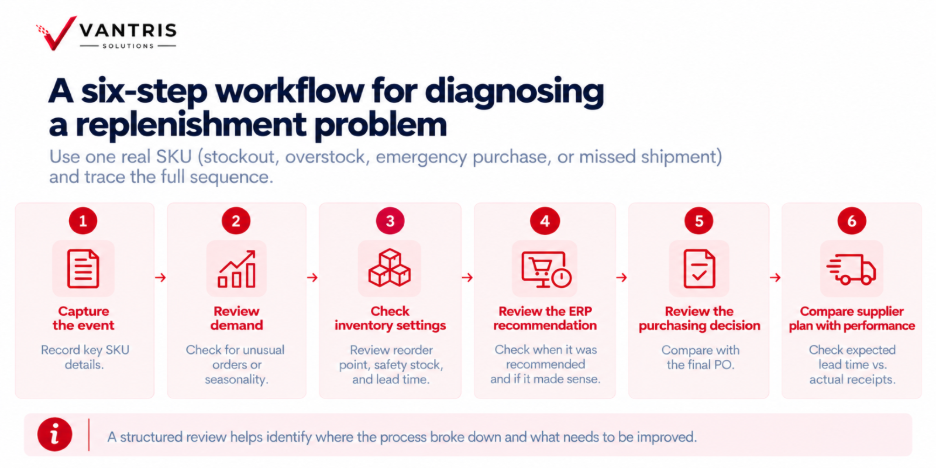
Step 1 – Capture the event
Record the SKU, warehouse, date, customer demand, available inventory, open purchase orders, supplier, and expected delivery date.
Step 2 – Review demand
Check for unusual orders, seasonality, rising usage, promotions, or sales information which never reached planning.
Step 3 – Check inventory settings
Review the reorder point, safety stock, order quantities, order multiples, and supplier lead time against current conditions.
Step 4 – Review the ERP recommendation
Find when the system first recommended the purchase and whether the quantity and date made sense using the data available at the time.
Step 5 – Review the purchasing decision
Compare the recommendation with the final PO. Record any change in quantity or timing and the business reason behind it.
Step 6 – Compare supplier plan with performance
Compare expected lead time with recent receipt dates. A large gap can weaken replenishment across many items.
When ERP modernization becomes worth discussing
An ERP-related issue may lead to configuration, master data, process, or integration of of work before it leads to replacement.
Modernization becomes more relevant when important operating requirements repeatedly sit outside the system.
For distributors, those needs may include multi-location visibility, replenishment by item class, transfer recommendations, purchasing workflows, ecommerce integration, or clearer inventory reporting.
The useful question is whether a requirement fits cleanly in the current environment, needs a maintainable integration, or points to a wider system limit. Once the requirements are clear, a platform such as Acumatica can be evaluated against them rather than starting with a feature list.
Find the source before adding more inventory
Extra inventory can cover a replenishment problem for a while, but it also uses working capital and warehouse space. More software can create a similar problem when the source remains unclear.
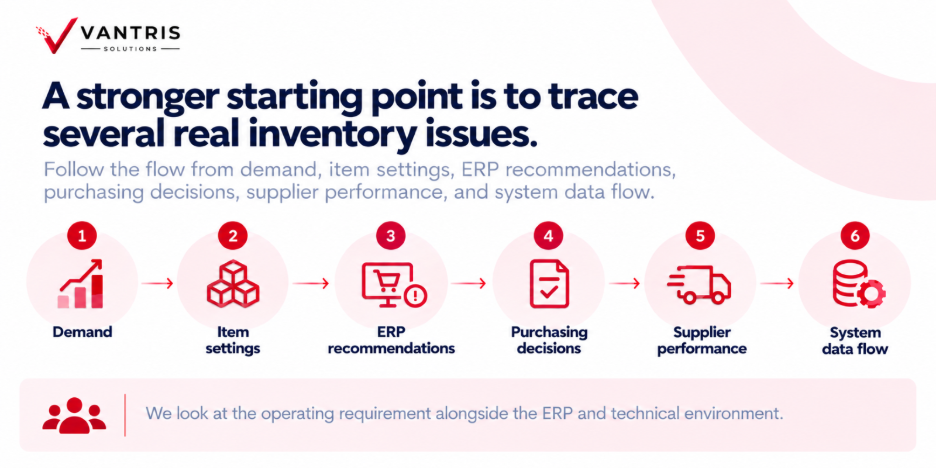
ERP modernization may become part of the discussion. Process, data, configuration, or integration work may come first. A clear diagnosis gives the business a stronger basis for deciding what to change and why.
Common questions about inventory replenishment problems
How can you tell if forecasting is causing stockouts?
Compare expected demand with customer orders, then check whether purchasing and suppliers performed close to plan. Repeated misses across the same product families, seasons, or customer patterns are a stronger signal than one unusual order.
How do you know when ERP is part of the problem?
Look at how much work people need to do outside the system before making a replenishment decision. Frequent spreadsheets, separate supplier files, manual calculations, duplicate reports, and repeated overrides can point to gaps in the ERP, configuration, integrations, or data.
Can a new ERP solve inventory replenishment problems?
A modern ERP can improve planning, inventory visibility, workflows, reporting, integration, and automation when the current environment limits those areas. Clear inventory rules, accurate data, and sound purchasing practices still matter, so diagnosis should come before software selection.