

A distributor can have 200 units in inventory and still be unable to fulfill a customer order for 80 units. The warehouse confirms that the stock is physically there. The ERP shows the same quantity. But sales cannot necessarily promise those units to a new customer.
Some inventory may already be committed to existing orders. Other units may be on hold, waiting for inspection, or located in a warehouse that cannot fulfill the order on time. This is where the difference between on-hand inventory and available-to-promise (ATP) inventory becomes important.
Both numbers can be correct. They simply answer different questions.
On-hand inventory tells the business how much stock the system currently records as on hand. Available-to-promise helps determine what quantity can be committed to a customer by a particular date, considering relevant supply and demand.
For distributors managing multiple orders, warehouses, and incoming purchase orders, using the wrong number can lead to commitments the business cannot meet. This guide explains how the two measures differ, when each should be used, and what distributors should review before relying on an ERP system’s availability calculations.
Available-to-Promise vs. On-Hand Inventory: The Main Difference
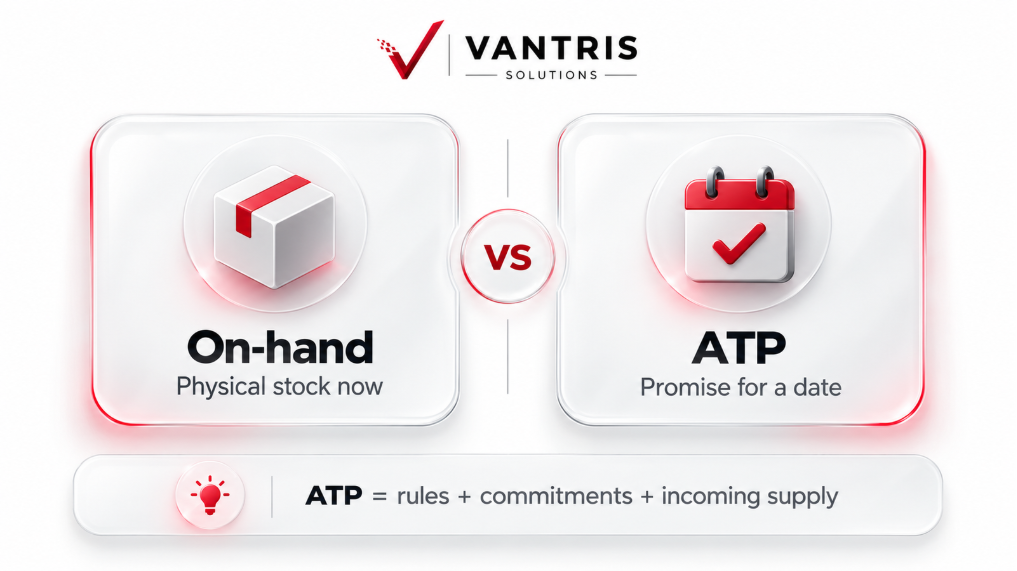
The distinction starts with the decision each number supports. On-hand inventory represents the quantity currently recorded as on hand in the inventory system at a particular time.
Available-to-promise inventory represents the quantity the business can commit to customer demand for a specified date, based on applicable inventory availability rules, existing commitments, and expected supply.
| Comparison | On-Hand Inventory | Available-to-Promise Inventory |
| Main question | How much stock do we currently have? | How much can we commit to a customer, and when? |
| Primary focus | Current physical inventory | Customer order commitments |
| Existing customer orders | May still be included in physical stock | Considered according to allocation and demand rules |
| Incoming purchase orders | Not counted as physically on hand until received | May contribute to future availability |
| Time sensitivity | Reflects a current inventory position | Evaluates availability against fulfillment dates |
| Common users | Warehouse, inventory control, finance | Sales, customer service, order management |
| Main risk if misused | Treating physical stock as freely available | Making promises based on incomplete or unreliable supply and demand data |
Neither measure replaces the other.
A warehouse manager may need on-hand inventory to reconcile stock movements. A customer service representative needs to understand whether a requested quantity can be shipped on the required date.
The second decision requires more than a physical inventory balance.
What On-Hand Inventory Tells Distributors
On-hand inventory is an important starting point because it represents the stock the system records as on hand. It may still differ from a physical count until reconciled.
Suppose a distributor records 180 units of a product at its Toronto warehouse.
That quantity may be completely accurate. However, it does not necessarily tell sales whether all 180 units are available for another customer.
For example:
- 110 units may already be allocated to existing orders.
- 20 units may be on quality hold.
- The remaining 50 units may be eligible for new demand.
The warehouse still has 180 units on hand. But only 50 units are immediately usable for a new order under these assumptions. This is why physical inventory quantity should not automatically become the quantity shown to customers as available.
The distinction also connects with a broader inventory issue: accurate records are not the same as useful inventory information. Our guide to inventory accuracy vs. inventory visibility explains why distributors need both.
For customer commitments, there is another dimension to consider.
Timing.
What Available-to-Promise Inventory Adds
Available-to-promise inventory extends the discussion beyond current stock. Instead of asking only what is physically present, ATP considers whether inventory can support a requested customer order at a particular point in time.
Depending on the ERP system and its configuration, the calculation may consider:
- Current inventory available for new demand
- Existing sales orders and committed quantities
- Scheduled purchase order receipts
- Expected inventory transfers
- Warehouse or location-specific availability
- Inventory restrictions and allocation rules
- Requested shipment or fulfillment dates
The important difference is that ATP connects supply with demand over time. A distributor might have insufficient stock to fulfill an order today, but enough expected inventory to support a later shipment.
The reverse can also happen.
An upcoming purchase order might look sufficient until the business considers the other customer orders already scheduled against that supply. ATP helps expose those conflicts before another commitment is made.
However, ATP is not a guarantee that inventory will arrive, or ship exactly as planned. Its reliability still depends on accurate transactions, realistic receipt dates, and properly configured availability rules.
A Practical Example: Why the Promise Date Changes the Answer
Consider a distributor receiving a customer request for 75 units of a product. Its current inventory position looks like this:
| Inventory Position | Quantity |
| On-hand inventory | 180 |
| Already committed to existing orders | 110 |
| Inventory on quality hold | 20 |
| Immediately available for new demand | 50 |
| Incoming purchase order expected next Wednesday | 80 |
| Other confirmed demand scheduled after that receipt | 40 |
The customer wants to know whether 75 units can be shipped.
Scenario 1: The Customer Needs the Order Today
The distributor has 180 units physically on hand. But 130 units are either committed or unavailable. Only 50 units remain eligible for the new order. Promising all 75 units for immediate shipment would create a 25-unit shortfall. The on-hand inventory figure is not incorrect. It is simply not the right number to use when confirming immediate availability.
Scenario 2: The Customer Can Accept a Later Shipment
Now suppose the customer can wait until next Wednesday. The distributor expects another 80 units to arrive before the requested shipment time. It also has 40 units of other demand that must be protected. In this simplified scenario, the projected uncommitted balance is:
50 currently available + 80 incoming − 40 other demand = 90 units
That suggests the distributor may have enough stock to support the 75-unit request at the later date. But the promise still depends on the purchase order arriving on time, the sequence of existing commitments, and how the ERP calculates ATP across the planning horizon.
A production ATP calculation may also protect requirements due after the requested date, so the figure should be verified rather than treated as a universal formula.
The important lesson is straightforward.
The same inventory position can support different customer commitments depending on when the order must be fulfilled.
That is what makes ATP useful for distributors.
Why On-Hand Inventory Can Create Fulfillment Problems
Problems begin when a business uses physical stock totals as though every recorded unit is available for another order. Several situations make this especially risky.
1. Inventory Is Already Committed to Other Customers
Products do not necessarily leave on-hand inventory as soon as a sales order is accepted. Units may remain in the warehouse until they are picked and shipped. If sales only see the physical balance, those units can appear available even though another customer already has a claim on them.
The business needs an inventory view that reflects those commitments.
2. Stock Is Distributed Across Multiple Warehouses
A distributor may have sufficient inventory across the company but not at the location responsible for fulfilling a particular order. For example, customer ordering from Toronto may need 60 units immediately. The business has 100 units across its warehouses, but only 25 are available in Toronto. The remaining inventory is in Calgary. A company-wide on-hand total does not answer whether the Toronto order can ship as requested. Availability needs to be evaluated at the warehouse level, with transfer timing considered where relevant.
3. Incoming Purchase Orders Are Treated as Confirmed Stock
Purchasing may have an open order for 200 additional units. That does not mean those units can be promised for immediate shipment. The order may still be awaiting supplier confirmation, in transit, delayed, or subject to partial delivery. ATP may use expected receipts in future availability calculations, but the reliability of those dates matters. If supplier delivery information is consistently inaccurate, the system can produce a plausible promise based on an unrealistic schedule.
4. Inventory Updates Are Delayed Between Systems
Distributors often connect ERP systems with warehouse management software, ecommerce platforms, and order-entry applications. If an order is accepted in one system but its demand is not reflected promptly in another, both channels may believe the same units are still available. That becomes an integration and transaction-timing problem. Adding an ATP calculation without resolving those gaps does not automatically prevent conflicting commitments.
Which Inventory Number Should Each Team Use?
The answer depends on the decision being made.
| Business Situation | Most Relevant Information |
| Warehouse needs to verify physical stock | On-hand inventory by location and status |
| Sales needs to confirm an immediate shipment | Current available inventory and existing commitments |
| Customer requests delivery next week | ATP for the requested fulfillment date |
| Purchasing evaluates future shortages | Inventory position, expected supply, demand, and replenishment requirements |
| Management reviews inventory value | Recorded inventory quantity and costing information |
| Customer service reviews a delayed order | Order allocations, expected receipts, and revised availability |
One inventory number should not be expected to answer every question. For sales and customer service, the useful question is rarely just, “How many do we have?”
It is, “How many can we commit to this customer, from which location, and by what date?”
That is where ATP becomes more relevant.
What Distributors Should Check Before Trusting an ATP Calculation
An ATP feature is only as useful as the operating rules and data behind it. Before relying on the result, distributors should review the following areas.
1. How Does the ERP Define Available Inventory?
Different ERP systems may use different rules for calculating availability. Some calculations consider sales order allocations, shipment statuses, warehouse locations, or expected receipts differently. The team should understand which transactions increase or reduce availability and whether those rules match how the business fulfills orders.
2. Are Existing Customer Commitments Reflected Correctly?
Review how the system handles open orders, reservations, allocations, backorders, and partially fulfilled orders. If customer demand is missing or recorded under the wrong date, the ATP result can overstate what remains available.
3. How Reliable Are Incoming Supply Dates?
A confirmed supplier delivery date is more useful than an outdated estimated lead time. Purchasing should review overdue purchase orders, changed supplier schedules, partial deliveries, and receiving delays. When supplier information changes, those changes need to reach the availability calculation in time to influence customer commitments.
4. Does Availability Reflect the Correct Warehouse?
A product available in one location may not be usable for an order fulfilled from another. The system should support the appropriate warehouse-level availability rules and account for transfer requirements when evaluating customer delivery dates.
5. How Quickly Do Inventory Transactions Reach the ERP?
If sales order, warehouse movements, or ecommerce transactions update inventory only after a long delay, users may be working from outdated information. The business should understand where inventory commitments originate, which system controls them, and how updates move between applications.
6. Can Users Understand Why a Promise Date Was Suggested?
A calculated quantity is more useful when users can explain it. Sales and purchasing should be able to review the relevant stock, demand, incoming supply, and dates behind an availability result. If the system returns a promise date without enough supporting information, employees may continue relying on spreadsheets or manual confirmation.
These questions are part of a broader ERP evaluation. Our article on what an ERP inventory management system should actually control covers the inventory records, transactions, and operating rules that should support decisions across the business.
Available-to-Promise in Acumatica 2026 R2
Available-to-promise is particularly relevant for distributors evaluating newer ERP capabilities in 2026. Acumatica introduced new ATP functionality for distribution as part of its 2026 R2 release. According to Acumatica’s 2026 R2 release overview, the functionality provides projected supply and demand information on sales order lines, helping teams make better-informed commitments about shipment dates.
That is a useful development because sales users need availability information while they are working with customer orders, not only in separate inventory reports. However, distributors evaluating the functionality should still test how it fits their actual workflows.
For example:
- Can sales review availability for the warehouse responsible for the order?
- How are existing customer commitments considered?
- What happens when an expected purchase order is delayed?
- Can users understand the supply and demand behind a suggested date?
- How does the process handle partial fulfillment or changing order requirements?
The goal is to make order promising more dependable without requiring sales to reconstruct the inventory position manually.
What to Fix When ATP and Actual Fulfillment Keep Disagreeing
When the system indicates that inventory can be promised but the warehouse cannot fulfill the order, it helps to trace the difference back to the first point where the information stopped matching reality.
A practical review can follow this sequence:
- Step 1 – Identify the original commitment. Record the SKU, warehouse, order quantity, date the promise was made, and requested shipment date.
- Step 2 – Reconstruct the inventory position. Review on-hand stock, allocations, unavailable quantities, and existing demand at the time the order was accepted.
- Step 3 – Check the expected supply. Find which purchase orders or transfers contributed to the promised quantity. Compare expected dates with actual receipts.
- Step 4 – Review the availability rules. Confirm whether the calculation considered the relevant demand, inventory statuses, locations, and planning dates.
- Step 5 – Check system updates and manual changes. Look for delayed transactions, missing integrations, changed shipment dates, and manual allocation overrides.
- Step 6 – Correct the underlying issue. The problem may involve inventory accuracy, purchasing discipline, availability configuration, or system integration.
It does not automatically mean the ATP functionality itself is defective.
If the issue repeatedly comes from supplier delays, purchasing decisions, or unreliable planning inputs, our guide to inventory replenishment problems provides a framework for identifying which part of the process needs attention.
The Right Number Depends on the Promise Being Made
On-hand inventory and available-to-promise inventory are not competing against measures of the same thing. They support different business decisions.
On-hand inventory tells a distributor what is physically recorded in stock. Available-to-promise helps the business determine what it can reasonably commit to customers, considering current availability, expected supply, existing demand, and timing.
For distributors, that distinction affects more than reporting.
It influences how sales accept orders, how purchasing manages incoming stock, how warehouses plan fulfillment, and how customers experience delivery commitments.
A modern ERP system should help those teams work from consistent inventory information and understand the rules behind it. But reliable ATP begins with reliable transactions, realistic supply dates, and clear ownership of inventory commitments.
To set up availability rules that match how you promise orders, see Acumatica for distribution and our implementation services.
Frequently Asked Questions
Is available-to-promise the same as available inventory?
Not necessarily. Available inventory often refers to stock eligible for new demand at the current time, while available-to-promise evaluates what may be committed for a particular date based on supply and demand. The exact definitions depend on the ERP system and its configuration.
Can available-to-promise inventory be higher than on-hand inventory?
Yes. For a future fulfillment date, ATP may include expected supply from purchase orders or other scheduled receipts. That means the quantity potentially available for a future commitment can exceed the stock physically on hand today. It does not mean the additional units can be shipped immediately.
Can an ERP system calculate ATP automatically?
Yes. ERP systems with ATP capabilities can calculate availability using inventory balances, demand, supply, and scheduling information. However, the scope of the calculation and supported workflows vary by product, version, and configuration. Accurate master data and timely transactions remain important.
Does ATP prevent overselling?
ATP can help reduce overselling by considering existing commitments and expected availability before another order is accepted. It cannot eliminate the risk if orders are not recorded promptly, inventory data is incorrect, supply dates are unreliable or connected sales channels use inconsistent availability rules.
Should distributors use on-hand inventory or ATP for customer orders?
Use availability and ATP information when deciding what can be promised to a customer and when it can be fulfilled. Use on-hand inventory to understand physically recorded stock. Both measures should remain visible and consistent with the underlying inventory of transactions.
Let’s Do a Business Review
If your team regularly needs to confirm stock manually, reconcile different inventory reports, or revise customer shipment dates, the problem may extend beyond the inventory number shown in your ERP. Vantris Solutions works with distributors to review ERP processes, inventory controls, and connected systems so they can make more reliable operating decisions. Talk to Vantris Solutions about your current environment and where inventory availability is creating unnecessary work.